bonbonAndroid & iOS App
We at bonbon offer a mobile-first experience on Android and iOS, allowing you to access football markets (Liga 1, Piala Indonesia, Piala AFF, Champions League, Premier League), live-dealer tables (blackjack, roulette, baccarat, Dragon Tiger), slot games (Aviator, Sweet Bonanza, Gates of Olympus, Fortune Tiger, Mahjong Ways), and esports markets (Mobile Legends, Free Fire, PUBG Mobile) from your phone or tablet. Our Android APK and iOS browser versions give you the same account, balance, and market access as the desktop site, with the added convenience of push notifications, offline caching, and touch-optimized gameplay.

- Installin
- Update
- SHA256 Match
Mobile access to bonbon is essential for users in Jakarta, Surabaya, Bandung, and Medan who prefer to deposit via DANA, e-wallet, mobile banking, local payment, or online payment on the go. Our app handles deposits and withdrawals directly on your phone, with the same verification and settlement timing as desktop. You can check Liga 1 live scores, manage your account, and view your transaction history without opening a browser.
This guide covers how to install bonbon on Android, access bonbon on iOS via browser, and troubleshoot common installation issues. We also explain the differences between the app and web versions, device compatibility, and how we protect your data on mobile.
Getting bonbon on Your Phone
Android APK installation
We at bonbon distribute our Android version as an APK (Android Package) file. You download the file directly to your phone, then install it manually. This is straightforward: visit our app page, tap the Android APK button, and follow the on-screen prompts. Your phone may ask you to enable "Installation from Unknown Sources" in your security settings — this is normal and safe. We sign our APK with a verified certificate, so you can trust the file.
After installation, open the bonbon app, log in with your account email and password, and you are ready to start. Your account is the same whether you log in on Android, iOS, or desktop — your balance, transaction history, and game records sync instantly across all devices.
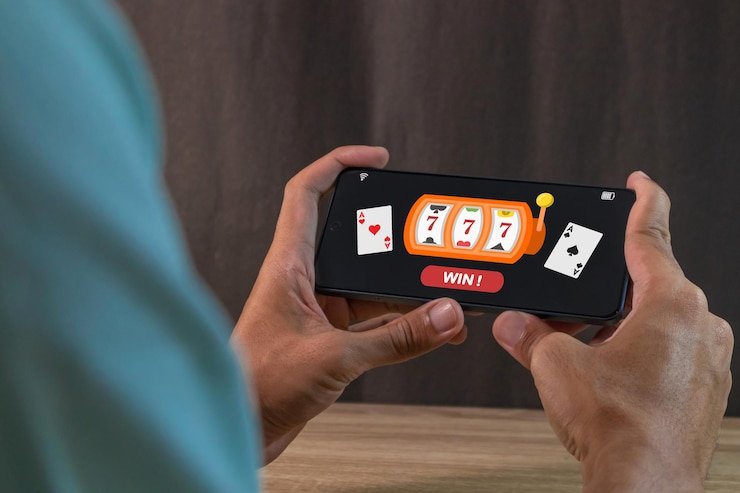
iOS browser access
iOS users do not need to install a separate app. Instead, we at bonbon recommend visiting our website in Safari or your preferred browser on your iPhone or iPad. Your browser bookmarks the bonbon site, and you can add it to your home screen as a web app icon. This gives you fast, touch-optimized access without visiting the App Store.
If you prefer a native app on iOS, third-party app stores may offer bonbon, but we recommend using the browser version to ensure you always have the latest features and security updates. The browser experience is nearly identical to our dedicated Android app.
Installation walkthrough
-
Download the APK or open your browser
Android users: tap the download link on our app page. iOS users: open Safari and navigate to bonbon.
-
Install on Android or bookmark on iOS
Android: allow the installation prompt and grant any requested permissions. iOS: tap Share and select "Add to Home Screen".
-
Log in with your bonbon account
Enter your email and password. If you don't have an account, tap "Register" and complete the signup form on your phone.
-
Set up push notifications and start
Enable notifications in the app settings so you receive alerts for market changes, withdrawal confirmations, and promotions.

App Features and Device Compatibility
Android app vs. mobile browser
Our bonbon Android app loads games and markets faster than the mobile browser thanks to offline caching. When you open the app, recent results, odds, and player schedules are stored locally on your phone, so they appear instantly even if your internet connection is slow. The app also sends push notifications for major events — a Liga 1 goal, a live-dealer table opening, a withdrawal completion — without requiring you to check the site constantly.
The mobile browser version of bonbon is lighter on storage and eliminates installation steps, making it ideal if you want to access bonbon occasionally or switch between devices. Both versions use the same account, so your balance and game history remain perfectly synced regardless of which device you use.
Device compatibility
We at bonbon support Android 7.0 and higher on phones and tablets. Most devices released in the past five years meet this requirement. On iOS, our browser version works on iOS 12 and later, covering all modern iPhones and iPads. If your device is older, you may experience slow performance or missing features, but you can still access bonbon via any modern browser.
bonbon automatically detects your screen size and adjusts the layout — whether you are on a small phone, a large tablet, or switching between portrait and landscape mode. Text, buttons, and game windows scale to fit your screen without breaking or becoming unreadable.
Common installation issues and fixes
If your Android phone refuses to install the bonbon APK, the most common reason is that "Unknown Sources" is disabled in your security settings. Go to Settings → Security, find the option to allow installation from unknown sources, and enable it temporarily during installation. After the app is installed, you can disable the setting again for safety. We at bonbon do not require permanent access to unknown sources.
Another frequent issue is that your browser or antivirus software flags the APK as suspicious. This sometimes happens with legitimate apps distributed outside Google Play. Our APK is signed with a verified certificate and safe to install. If you are unsure, you can also access bonbon via the mobile browser instead, which bypasses the APK installation entirely.
If the app crashes on startup, try clearing your cache and reinstalling. Go to Settings → Apps → bonbon, select Storage, and tap Clear Cache. Then uninstall and download the latest APK from our app page. If crashes persist, contact our support team — a newer version may be available with a fix.
Data, permissions, and account security on mobile
When you install the bonbon app on Android, the system may ask for permissions to access your phone's contacts, location, camera, or storage. We at bonbon requests only the permissions we actually use — for example, camera access for identity verification (if you need to photograph your ID for account verification) and storage access to cache game data locally.
Your account credentials (email and password) are never stored in plain text on your phone. When you log in, bonbon establishes an encrypted session and stores only a session token. This token allows you to remain logged in without repeatedly entering your password. If you log out or clear the app's cache, the token is deleted and you must log in again on next use.
All data transmitted between your phone and our bonbon servers is encrypted using industry-standard TLS (Transport Layer Security). Your deposits via DANA, e-wallet, mobile banking, local payment, online payment, e-wallet, or bank transfer are processed through the same secure channels as on desktop. We do not store your payment credentials on your phone — payment is handled by our payment processors, who comply with strict security standards.
Tips for Mobile Play on bonbon
Data usage and offline features
Playing live games and markets on bonbon via mobile uses data at roughly the same rate as streaming video — a few megabytes per hour depending on image quality and frequency of updates. If you are on a limited data plan, we recommend connecting to Wi-Fi when possible. You can also reduce data usage by disabling push notifications and turning off high-definition imagery in the app settings.
Our bonbon Android app caches recent market data, results, and game states locally. This means that if your internet connection drops briefly during a game, you can often continue playing without interruption — the app will reconnect automatically once your signal returns. The mobile browser does not cache as aggressively, so switching to the app may help if you experience frequent connection issues.
Account verification on mobile
When you request a withdrawal on bonbon, we may ask for identity verification if it is your first time withdrawing. On mobile, you can photograph your national ID, driver's license, or utility bill directly in the app using your phone's camera. This is faster than uploading files from a desktop. After you submit photos, our verification team reviews them within a few hours and confirms your account.
Once verified, your future withdrawals via e-wallet, mobile banking, local payment, online payment, e-wallet, mobile banking, local payment, online payment, e-wallet, or mobile banking process within one to two business days. You receive a push notification on your bonbon app when the withdrawal completes, and the funds arrive in your payment method shortly after.
Multi-device account management
We at bonbon sync your account balance, game history, and transaction records across Android, iOS, and desktop in real time. If you deposit our welcome offer on your phone via local payment, that balance appears instantly on your desktop site. If you finish a slot game on your tablet and check the result on your phone, the result is already there. You can switch between devices at any time without logging out and back in — just open bonbon on another device and your session picks up where you left off.
Push notification management
bonbon sends push notifications for key events: Liga 1 match goals, live-dealer table promotions, withdrawal confirmations, and important account alerts. You can customize which notifications you receive in the app settings. If notifications become too frequent, you can disable them entirely and check the app manually, or select only the categories you care about. Disabling notifications does not affect your account — all activity logs remain available in your account dashboard.
Android app
Download APK directly. Faster, offline cache, push notifications.
Mobile browser
No installation. Same features, lighter footprint.
Support and troubleshooting
If you encounter an issue with the bonbon app — crashes, login errors, payment problems — contact our support team. We are available via in-app messaging and email. Provide details such as your device model, Android or iOS version, and the exact error you see. Our team responds within a few hours and can often resolve the issue by sending you a corrected APK, clearing your account cache, or confirming whether a server-side issue is affecting all users.
Summary
bonbon is optimized for mobile play across Android and iOS. Android users download and install our APK; iOS users access bonbon via Safari. Both paths give you full access to football markets (Liga 1, Piala Indonesia, Piala AFF, Champions League, Premier League), live-dealer tables, slot games, esports, and a complete deposit and withdrawal experience. The Android app offers faster performance and offline caching; the mobile browser is lighter and installation-free.
Your bonbon account syncs across all devices instantly. Deposits via online payment, e-wallet, mobile banking, local payment, online payment, e-wallet, or bank transfer are processed the same way on mobile as on desktop. Account verification, push notifications, and multi-device management make mobile bonbon convenient for users anywhere. Download the app today or open bonbon in your browser to start.